
Design & Creative Support for Your Print Portal
Turn your brand guidelines and artwork into materials your teams can actually order. We help prepare designs, build editable templates and organise approved artwork within a free print portal built around your business.
Good design. Easier to use across your business.
Give marketing a clear way to maintain the brand while other teams order the materials they need. We agree the artwork and support required, then configure your catalogue and templates. Portal setup is free; any chargeable design work is quoted and agreed before we proceed.
Your branding.
Use your approved designs, fonts and colour values as the starting point.
Fewer edits.
Let teams personalise permitted details within controlled templates.
Current artwork.
Keep catalogue designs organised and ready for future orders.
From your design brief to your approved catalogue.
We work with your existing designers, supplied artwork or an agreed creative brief. These are examples of the support we can discuss for your portal.
Design & artwork preparation
Discuss new artwork, updates or print preparation around an agreed brief and scope.
Editable print templates
Turn suitable approved designs into templates for names, contact details and other permitted changes.
Campaign artwork
Prepare the agreed designs and formats your teams need for a campaign or rollout.
Local design variations
Establish which details can change for branches, venues, departments or individual users.
Print-ready file review
Review supplied artwork requirements and the print specifications for your agreed product range.
Catalogue artwork updates
Keep product designs current as your contacts, campaigns and branding change.
Start with your brand. Build around how teams use it.
Share your brand guidelines, logos, fonts and existing materials. We review what can be used, what needs preparing and which designs would benefit from an editable template.
If you need new creative work or artwork changes, we agree the scope and any cost before proceeding. Your in-house designers or agency can also supply the finished files.
Stop rebuilding the same design for every small change.
Let users update permitted names, job titles, contact details or campaign information in approved templates. Keep other design elements controlled, with a proof to check before ordering.
Templates can use your own brand fonts and agreed CMYK colour values. Marketing maintains the design while teams handle routine personalisation themselves.
Keep the right artwork available for the next order.
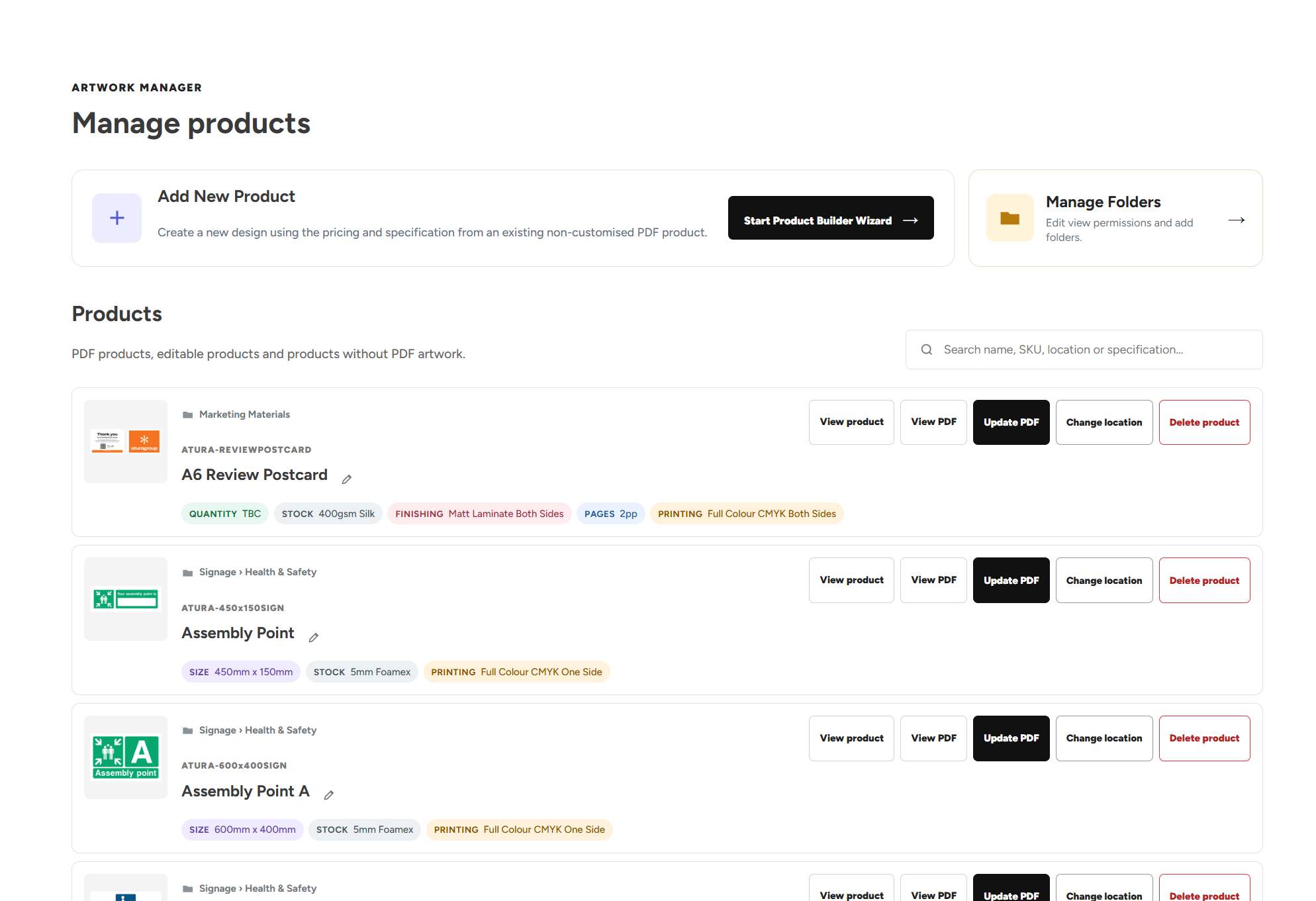
Authorised Artwork Managers can replace catalogue PDFs, add supported designs using preset specifications and pricing, and organise folders with relevant visibility.
Teams return to the approved range instead of searching old emails for a file. Your supplied artwork stays linked to the relevant product or order.
Give people a chance to check before it prints.
Users review proofs and configured artwork checks before ordering. Managers can also review selected requests, including Artwork Builder customisations, before production.
Keep the creative decisions with your team while using the portal to organise artwork, product details and sign-off in one place.
The tools that keep your artwork working.
Approved designs, controlled personalisation and a practical way to maintain the catalogue.
Artwork Builder
Personalise permitted details in approved templates with your brand fonts and design rules.
Artwork Manager
Update catalogue PDFs, add supported designs and organise artwork folders yourself.
Upload Your Own Artwork
Upload a finished PDF to a preset product and review the print checks before ordering.
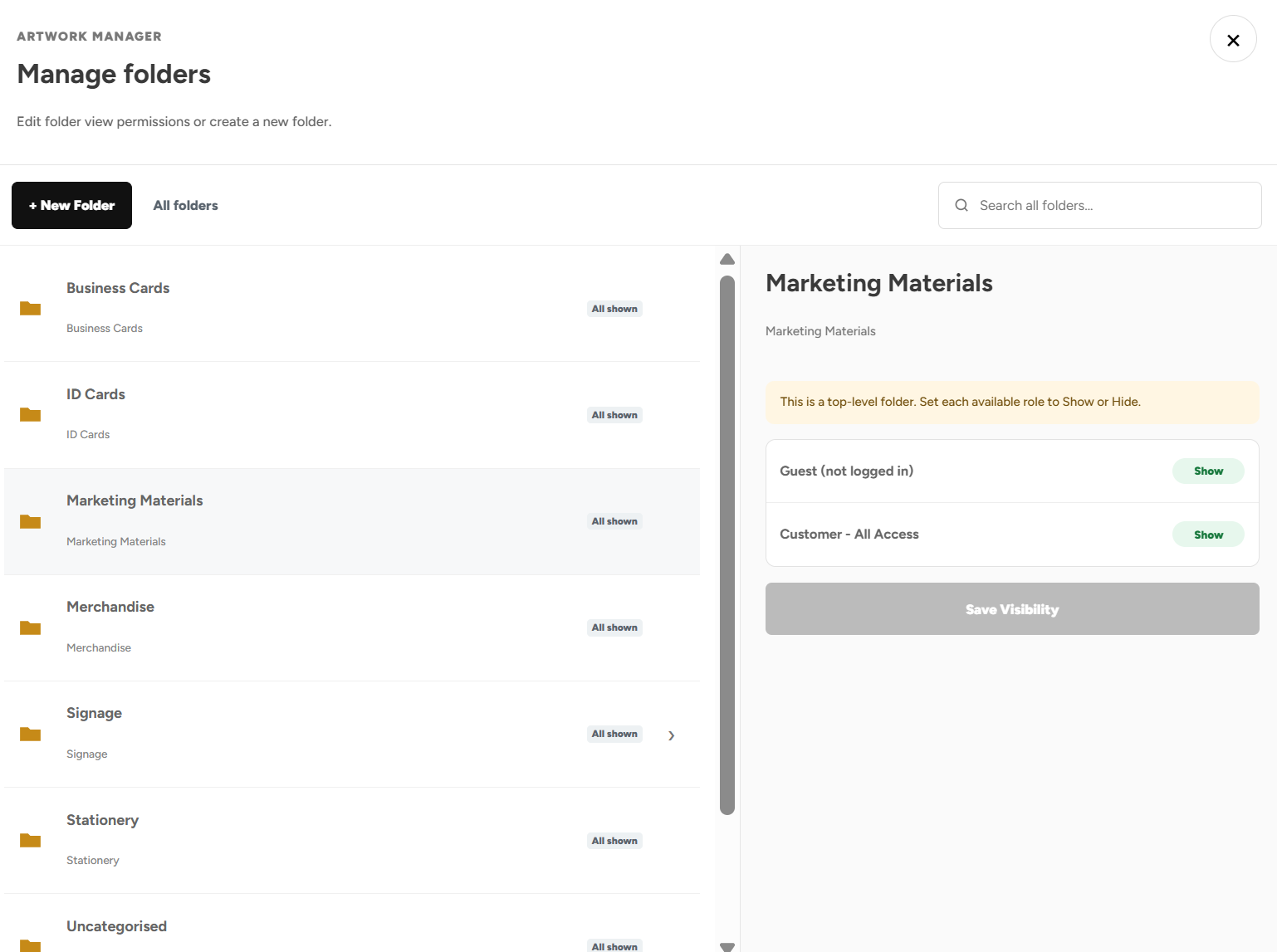
Product Visibility
Give each team, location or user access to the designs relevant to them.
Admin Order Approvals
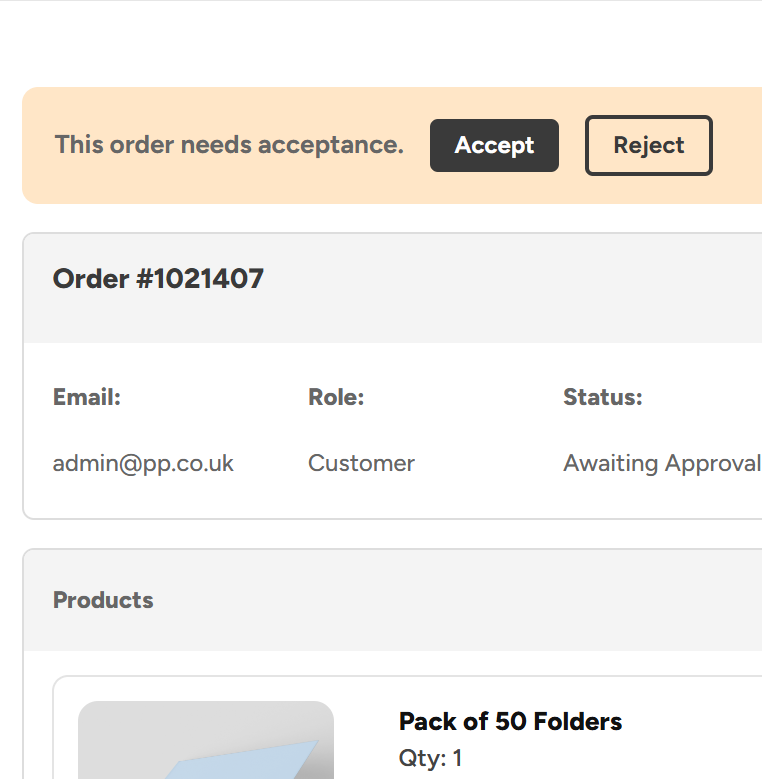
Review selected artwork customisations and print orders before they proceed.
One approved design. Ready for the whole team.
An example of turning a recurring artwork request into a simpler ordering process.
Agree the design and editing rules.
Marketing supplies the artwork and brand requirements. We establish which fields users can edit and prepare the agreed template setup.
Let users personalise and review.
Staff enter permitted details and check a proof. Artwork Builder warnings help flag low-resolution images or text below the configured minimum size.
Approve and order.
The user approves the artwork and places the order. Any required manager review follows your configured process before production.
Design and creative support questions, answered.
Artwork preparation, brand fonts, editable templates, design changes and ongoing catalogue control.
Design support and getting started
What design and creative support can you provide for a print portal?
We can discuss artwork preparation, new designs, updates and editable templates around your brand and ordering requirements. The scope depends on the files you already have and the products you need. We agree the work and any applicable design charges before proceeding, then organise the approved designs within your portal setup.
Can you work with our existing artwork and brand guidelines?
Yes. Share your logos, brand guidelines, font files and existing artwork so we can review the setup. We establish which designs can be used as supplied, which need preparation and which are suitable for editable templates. Font licensing and any rights needed to use supplied assets are reviewed as part of that process.
Can our in-house designers or agency supply the artwork?
Yes. Your designers or agency can supply files prepared to the product requirements agreed for your catalogue. Finished PDFs can be used for supported fixed-artwork products, while editable template setup may require additional source artwork and assets. We explain what is needed for the selected products before they are made available to order.
Can you help create new artwork or update an existing design?
Share the brief, existing assets, intended products, required formats and timescale so we can review the work. We can agree a design or artwork-update scope and confirm any charges before starting. The resulting approved artwork can then be prepared for the relevant catalogue products or template setup.
Is design work included free with the portal?
Portal setup has no setup fee or ongoing platform subscription. The design and artwork support needed is reviewed with you, and any chargeable creative work is quoted and agreed separately before proceeding. Your business also pays for products and any applicable delivery or additional services. We make the distinction clear when agreeing your setup.
What should we send you to review our artwork requirements?
Useful starting points include your brand guidelines, logos, font files, current designs, product specifications and examples of the changes your team makes regularly. Tell us who should be able to edit or order each design. We can then discuss the fixed artwork, template and catalogue arrangements that fit your requirements.
Can we organise several brand identities within one portal?
Yes. Separate approved ranges can be organised within the same portal, with Product Visibility controlling which users can access them. Templates are configured around the relevant brand artwork and editing rules. This lets different brands or locations share an ordering environment without making every design available to every user.
Can we discuss a design project before our portal is built?
Yes. We begin by understanding your products, users, existing artwork and the problems you want to solve. New design requirements can be reviewed alongside your catalogue and ordering setup. We agree the scope, pricing and required assets before proceeding so the creative work supports the way your portal will be used.
Editable templates and brand control
Can you turn our designs into editable Web2Print templates?
We review your artwork and required changes, then configure the agreed editable template setup. Suitable designs can expose fields for names, contact details, local information or other permitted content while keeping the remaining elements controlled. Users personalise the design, generate a proof and order through the portal.
Can templates use our own brand fonts?
Yes. Your own brand fonts can be used in the Artwork Builder, subject to reviewing suitable font files and licensing requirements. We configure the templates around your supplied typefaces rather than requiring users to choose a substitute from a generic font list. Users work with the fonts established for the approved design.
Can generated PDFs use our agreed CMYK brand colours?
Artwork Builder templates can be configured using your agreed CMYK colour values for the generated print PDFs. We establish those artwork settings during setup. Screen previews cannot guarantee an exact printed match, since the selected stock and production conditions also affect appearance. Your brand requirements should be reviewed against the intended product.
Can we decide exactly which details users may change?
Yes. Templates expose the fields and editing options agreed for the design. Users might enter names, job titles, contact details or permitted campaign information while other elements remain controlled. Your team decides the scope of personalisation before the template is made available to the relevant users.
Can staff use the templates without design software?
Yes. Users personalise the fields available within the portal, review the result and generate a proof without opening separate design software. This is useful for recurring requirements such as business cards and local campaign details. Your team still reviews the design rules and approves the template setup before it is used.
Can image masks and scaling rules protect the design?
Artwork Builder templates can use configured image areas and clipping masks. Fill mode helps the image cover its allocated shape, while fit mode keeps suitable items such as QR codes within their area. Proportional scaling helps prevent squashing or stretching. The options are established around how each template should be used.
Will the builder warn about low-resolution images or very small text?
The Artwork Builder can warn when uploaded images fall below the recommended resolution for their configured print size. It can also flag text below the configured minimum size, including text that shrinks to fit a field. Users review these warnings when checking the design. The separate PDF uploader does not currently provide automatic image DPI assessment.
Can previous personalised artwork be reused for another order?
Yes. Artwork Builder supports reusing previous text, images and image placement for a repeat or amended requirement. Users should check that the details are still current and review a new proof before ordering. This reduces repeated data entry while keeping the review step part of the ordering process.
Artwork checks and catalogue management
Can we upload finished PDFs instead of using editable templates?
Yes. Upload Your Own Artwork lets permitted users select a preset product, upload a print-ready PDF and review the configured checks and preview before adding it to the basket. Your portal can offer upload-enabled products alongside editable templates, giving different teams an appropriate route for their finished or personalised artwork.
What does the PDF preflight check before ordering?
The uploaded PDF is checked against the selected product’s configured requirements, including dimensions, page count, bleed and crop marks. Users review the results and inspect the artwork before approval. These checks help assess print-file suitability; your team must still review spelling, content, dates and the design itself.
Can users inspect colours in an uploaded PDF?
The colour checker shows detected colours with visual swatches, CMYK values and coverage information. Similar shades can be grouped and flagged, with spot and Pantone names highlighted where available. If RGB is detected, a CMYK-adjusted preview helps assess expected changes while preserving the original uploaded PDF. The checker does not automatically decide which colours belong to your brand.
Can our marketing team replace catalogue artwork themselves?
Authorised Artwork Managers can upload replacement PDFs, review the artwork checks and approve updated designs for future orders. They can also organise folders and manage their visibility. Updating the catalogue does not replace artwork already attached to existing orders or physical stock that has already been produced.
Can our team add new designs without setting prices themselves?
Authorised Artwork Managers can use the guided product-building wizard to add supported designs using preset product specifications and pricing structures. Users name the design, select the established setup, choose its catalogue location, upload artwork and review the checks. A new physical specification outside the existing setup should be discussed separately.
Can departments or branches have access to different artwork folders?
Yes. Authorised Artwork Managers can create folders and subfolders and select which user groups can see them. Product Visibility also controls access to categories and individual products. This lets campaign, departmental and location-specific designs sit in the same portal while remaining available to the appropriate teams.
Can customised artwork orders require manager approval?
Yes. You can require approval for orders containing Artwork Builder customisations. Approvers review artwork, products, quantities, pricing and delivery details before accepting or rejecting the request. Other rules can cover users, product categories and order values, with suitable routine purchases allowed to proceed automatically where configured.
How do we start discussing design and creative support for our portal?
Share your brand guidelines, artwork, product requirements and the recurring requests your team handles. We review the design, template and catalogue support needed and agree any chargeable work before proceeding. Contact our team to discuss design and creative support for your print portal.
Let’s make your artwork easier to use.
Show us your designs, brand guidelines and the requests your team keeps repeating. We’ll explain the options, agree any design work and build your free portal around the way you order.