
Web2Print Portals for Property & Construction
Give development, sales and site teams one place to order approved brochures, signage, stationery and workwear. Keep local details, spending approvals and deliveries organised as your projects move forward.
From sales office to site. One place to order.
Bring development marketing and everyday site materials into a branded portal. Each team sees its relevant range, uses approved artwork and follows your ordering rules. We handle production, stockholding and distribution.
Relevant ranges.
Sales teams find development marketing. Site teams find their everyday materials.
Current details.
Keep approved designs and permitted local information ready to order.
Direct to site.
Assign materials to the locations that need them, without distributing everything yourself.
The right materials for each development and site.
Sales teams need brochures and launch materials. Site teams need signage, stationery and branded workwear. Different developments may have their own identity and artwork.
Show each location and user group the products relevant to its work, with shared company materials available where needed.
Change local details without another design brief.
Let teams update permitted development names, sales-office contacts and other agreed details within approved templates. Users review a proof before ordering, while your design rules stay controlled.
Authorised artwork managers can also replace catalogue PDFs as brochures and campaigns change, making the new design available for future orders.
Keep site purchasing under the right oversight.
Require sign-off for selected users, products, order values or artwork changes. Managers can review quantities, costs and delivery details before accepting a request.
Agree how orders are paid for and allocated across sites, teams and budgets, while allowing suitable routine purchases to proceed automatically.
Deliver to the sites and sales locations that need it.
Send different products or quantities to several locations in one order. Choose saved addresses or add a new destination as your sites change.
For regular supplies, hold suitable products in our UK warehouses and call off smaller batches. Live stock levels show what is available before teams request more.
Tools for development and site teams.
Built around your locations, materials and ordering responsibilities.
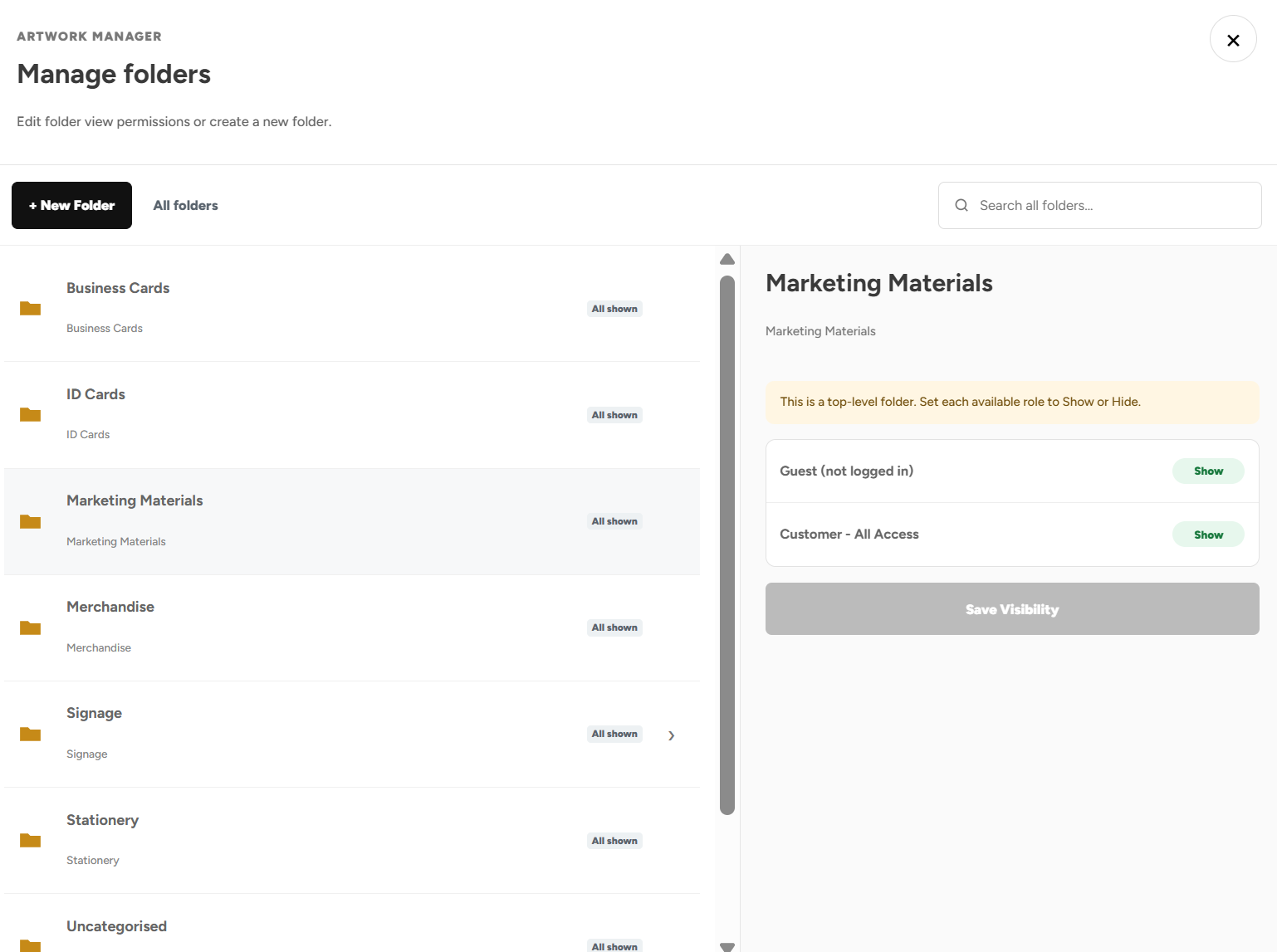
Product Visibility
Show each development, site and department its relevant products and artwork.
Artwork Builder
Personalise permitted location and contact details within approved templates.
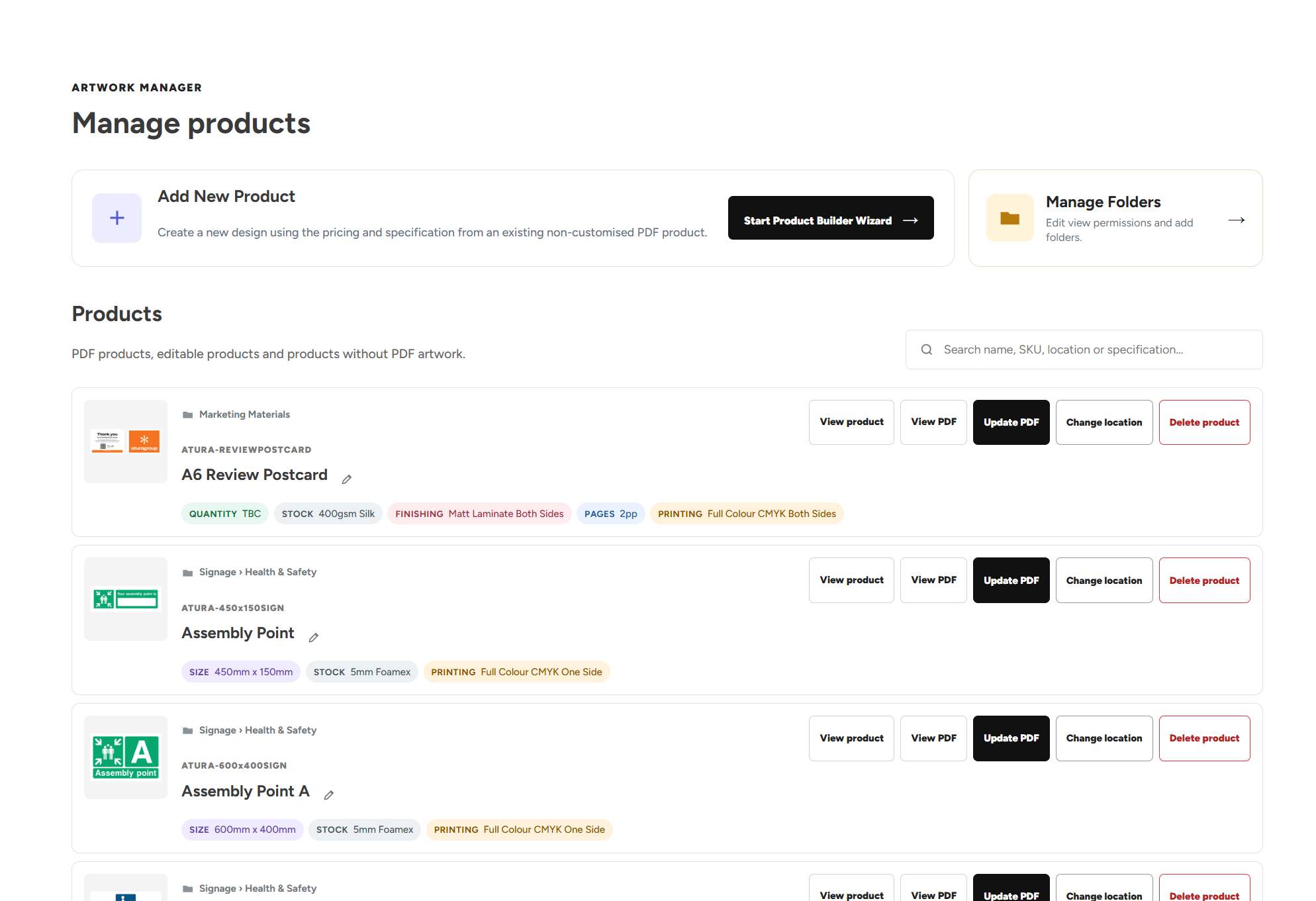
Artwork Manager
Keep development brochures and catalogue designs current for future orders.
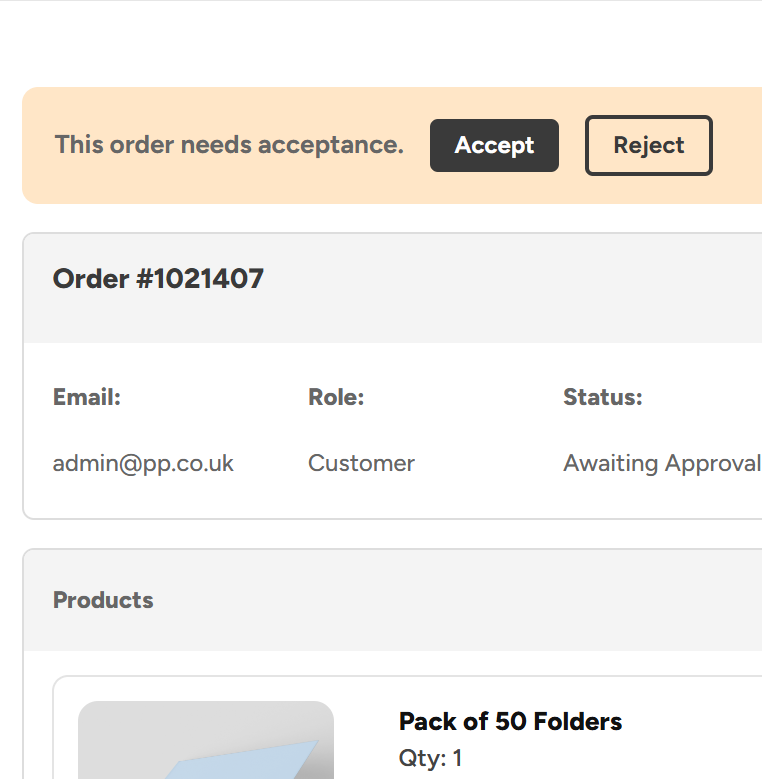
Admin Order Approvals
Review selected site purchases and artwork changes before they proceed.
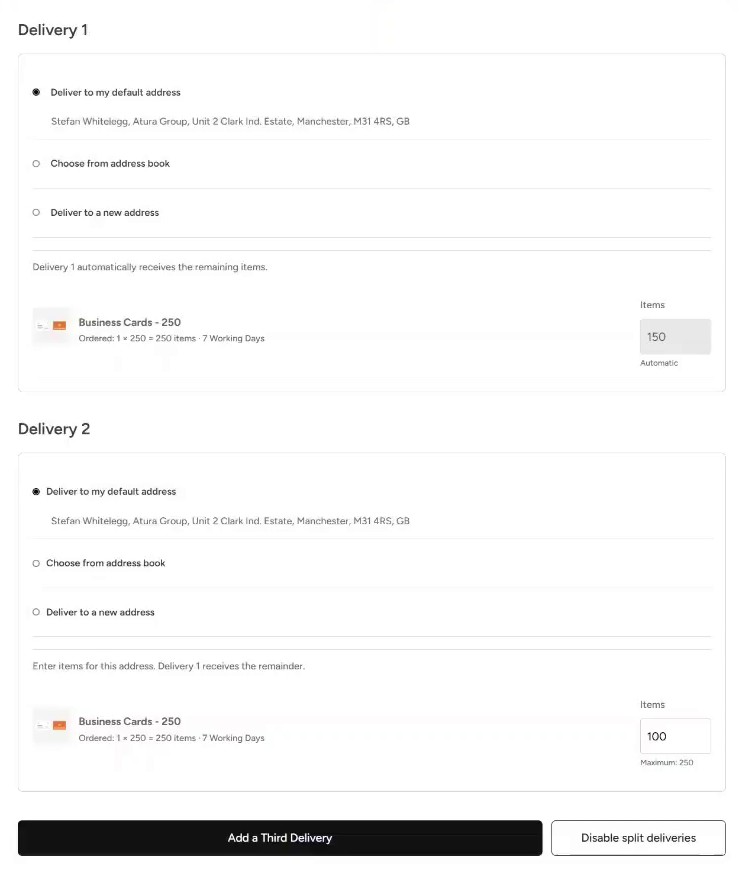
Split Deliveries
Allocate an order between active sites, offices and sales locations.
Shelf Stocking & Stock Control
Bulk buy regular supplies and call off smaller quantities from central stock.
A new development, ready for launch.
An example of preparing sales and site materials through the same portal.
Prepare the development range.
Marketing adds the approved brochures, launch print and signage. Relevant site and sales users get access to the materials they need.
Personalise and allocate.
Users enter permitted local details, check their proofs and assign quantities to the required addresses. Orders follow your configured approval rules.
Deliver and keep supplied.
We produce or dispatch the ordered materials to the agreed locations. Teams return to the portal for further orders and available stock call-offs.
Property and construction Web2Print questions, answered.
How local artwork, site access, budgets and distribution work together.
Developments and site ordering
What is a Web2Print portal for property and construction businesses?
A property and construction Web2Print portal is a branded online ordering system for your approved print and branded products. Development, sales and site teams choose from an agreed catalogue and follow your artwork permissions and ordering rules. Print Portals supports production, stockholding and delivery for the materials ordered through it.
Can sales offices and construction teams use the same portal?
Yes. One portal can serve different teams while showing each group its relevant products. Sales users might order brochures and launch materials, while site users order signage, stationery and workwear. Shared company products can remain available to the appropriate groups, with visibility and approval responsibilities configured around your business.
Can different developments have their own artwork and product ranges?
Yes. Product Visibility can show or hide categories and individual products by location, user group, department, role or named user. Development-specific marketing can sit alongside shared corporate materials in the same portal. This lets your team organise different identities and ranges without requiring every user to search the entire catalogue.
What property and construction materials can we order?
Your agreed range can include development brochures, folders, flyers, posters, stationery, signage, branded workwear and merchandise. We review the products, specifications and quantities your business uses before agreeing the catalogue and pricing. The range can support both development launches and the materials teams need regularly.
Can site managers reorder supplies without emailing head office?
Authorised users can place orders directly from the catalogue made available to them. Existing product artwork and agreed specifications reduce the need to arrange each repeat request from scratch. Your approval rules still apply, allowing suitable routine purchases to proceed while other requests go to the relevant manager for sign-off.
Can we add new developments and site users as projects change?
We can help establish the range, users and delivery details needed for new locations. Authorised administrators can manage accounts and permissions through Account Access, with support from our team where required. Product visibility and ordering permissions should be configured around each user’s responsibilities and the materials available to their site.
Artwork and spending
Can teams personalise development names and sales-office details on artwork?
Yes. Artwork Builder templates can expose permitted local fields, such as development names, contact information or other agreed details, while keeping design elements controlled. Users generate and review a proof before ordering. Customised orders can require approval if your business wants a review step before production.
Can marketing replace a brochure PDF when the development artwork changes?
Authorised Artwork Managers can upload a replacement PDF, review the print checks and approve the new catalogue artwork. It then becomes available for future orders of that product. Artwork already attached to an existing order stays with that order, and any physical stock already printed should be considered separately when a design changes.
Can our designers upload finished brochures and campaign PDFs?
Yes. Upload Your Own Artwork lets users select a preset product, upload a print-ready PDF and review the checks and preview before adding it to the basket. Checks include dimensions, page count, bleed and crop marks. Authorised Artwork Managers can also create new catalogue designs using preset specifications and pricing.
Can managers approve site orders before they proceed?
Yes. Approval rules can be configured around users, product categories, order values and Artwork Builder customisations. Relevant approvers can review the products, artwork, quantities, costs and destinations before accepting or rejecting a request. Orders requiring approval stay on hold until accepted under your configured process.
Can costs be allocated to sites, teams and budgets?
Your portal can be configured around how your business pays for and allocates purchases, including relevant sites, departments, teams and budgets. Prepaid stock can appear at £0 for authorised call-offs, while other products show an agreed price. We establish the account, reporting and approval requirements with you during setup.
Can we see which teams are requesting shared warehouse stock?
Reporting can show who is ordering stock and where it is being delivered. Where costs are allocated to teams or budgets, reporting supports that agreed setup. Managers can also review requests under your approval rules and reject excessive or unnecessary use of shared materials before those requests proceed.
Stock, delivery and setup
Can one order be delivered to several sites or sales offices?
Yes. Split Deliveries lets you divide quantities of the same product between addresses or send different products to different destinations within one checkout. Allocate what each location needs, then review quantity checks, delivery charges and any additional lead time. Addresses and product allocations remain recorded with the order.
Can users choose a new delivery address when a site changes?
Yes. Users can choose a saved location from the address book or enter a new delivery address during checkout. That helps teams ordering for a new site, sales location or office without having to place a separate order for each destination. Users should review the address and allocation before submitting the order.
Can we bulk buy regular materials and call them off as sites need them?
Suitable products can be produced in bulk and held in our UK warehouses. Authorised users then call off smaller quantities through the portal. Live stock levels show what is available, with low-stock notifications to support replenishment planning. We agree stockholding around your products, quantities and how often the artwork or requirements change.
How do we plan print for a development launch date?
Share the launch date, artwork status, products, quantities and delivery destinations with our team so we can confirm achievable production and delivery arrangements. The portal helps organise the approved range, proofs, quantities and locations. Allow time for any internal artwork or order approval required before the purchase can proceed.
Is there a portal subscription for every development or site user?
Print Portals does not charge portal setup fees, an ongoing portal subscription or a per-user platform fee. Your business pays for products and any applicable delivery or additional services under the agreed order arrangements. New locations and product requirements can be reviewed as your business changes.
How do we bring property and construction print into one portal?
We begin with your developments, sites, teams and current ordering process. Share your artwork, products and specifications so we can agree the catalogue and pricing. We then configure access, templates, payment and approval requirements, review stockholding and delivery needs, and help users get familiar with placing orders.
Get your teams what they need. Cut the ordering admin.
Tell us about your developments, sites and current suppliers. We’ll help you bring ordering together, with no portal setup fees or subscription.