
Split Deliveries. One order. Multiple destinations.
Order for several venues, teams or locations in one checkout. Choose where each product needs to go and how much each address receives, without placing separate orders or organising onward distribution yourself.
Send each location exactly what it needs.
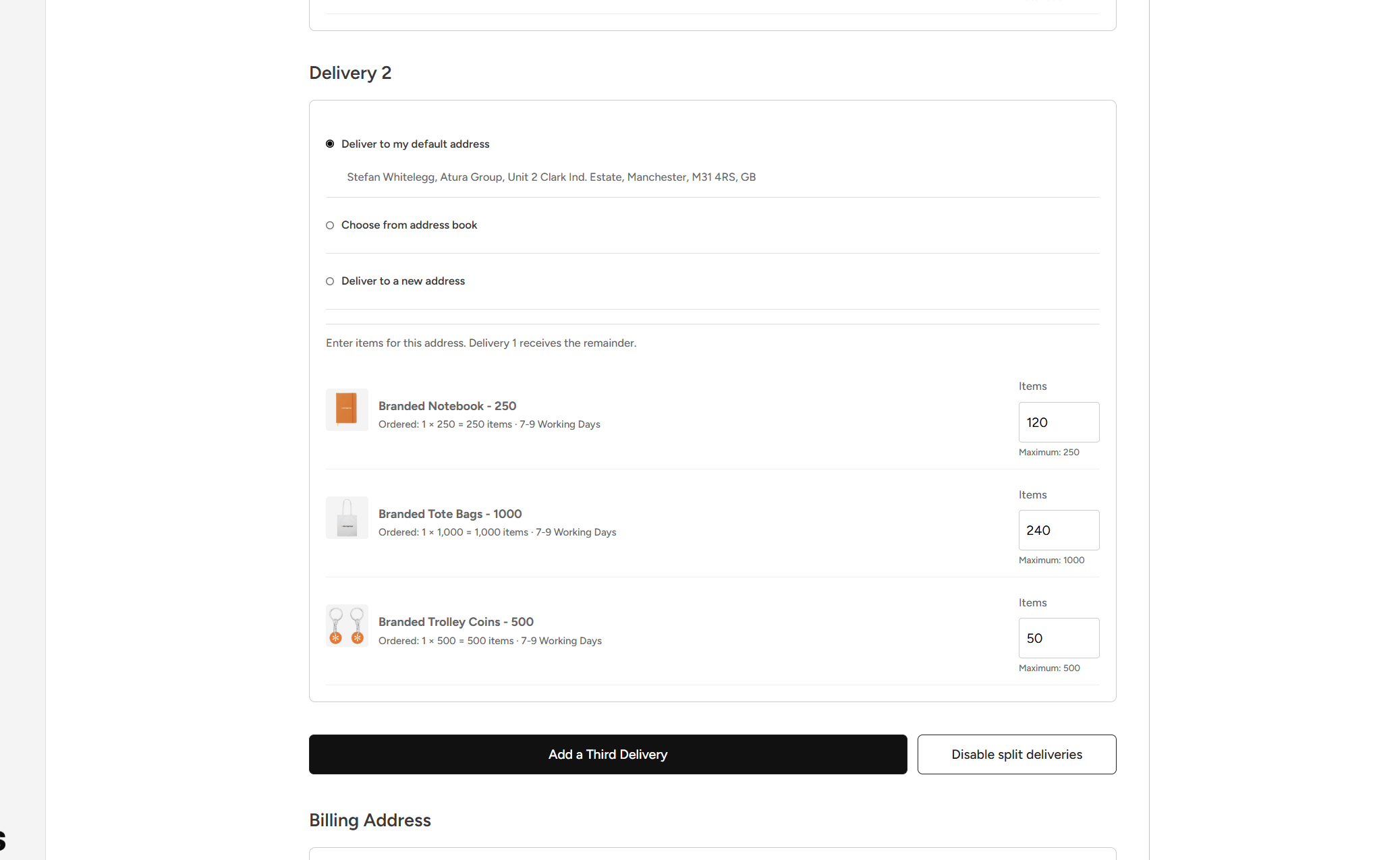
Split quantities of the same product between addresses or send different products to different destinations. Allocate 500 leaflets to one venue and 250 to another, alongside the other materials each location needs. Automatic quantity checks help ensure everything is accounted for before you order.
Your addresses. All in one place.
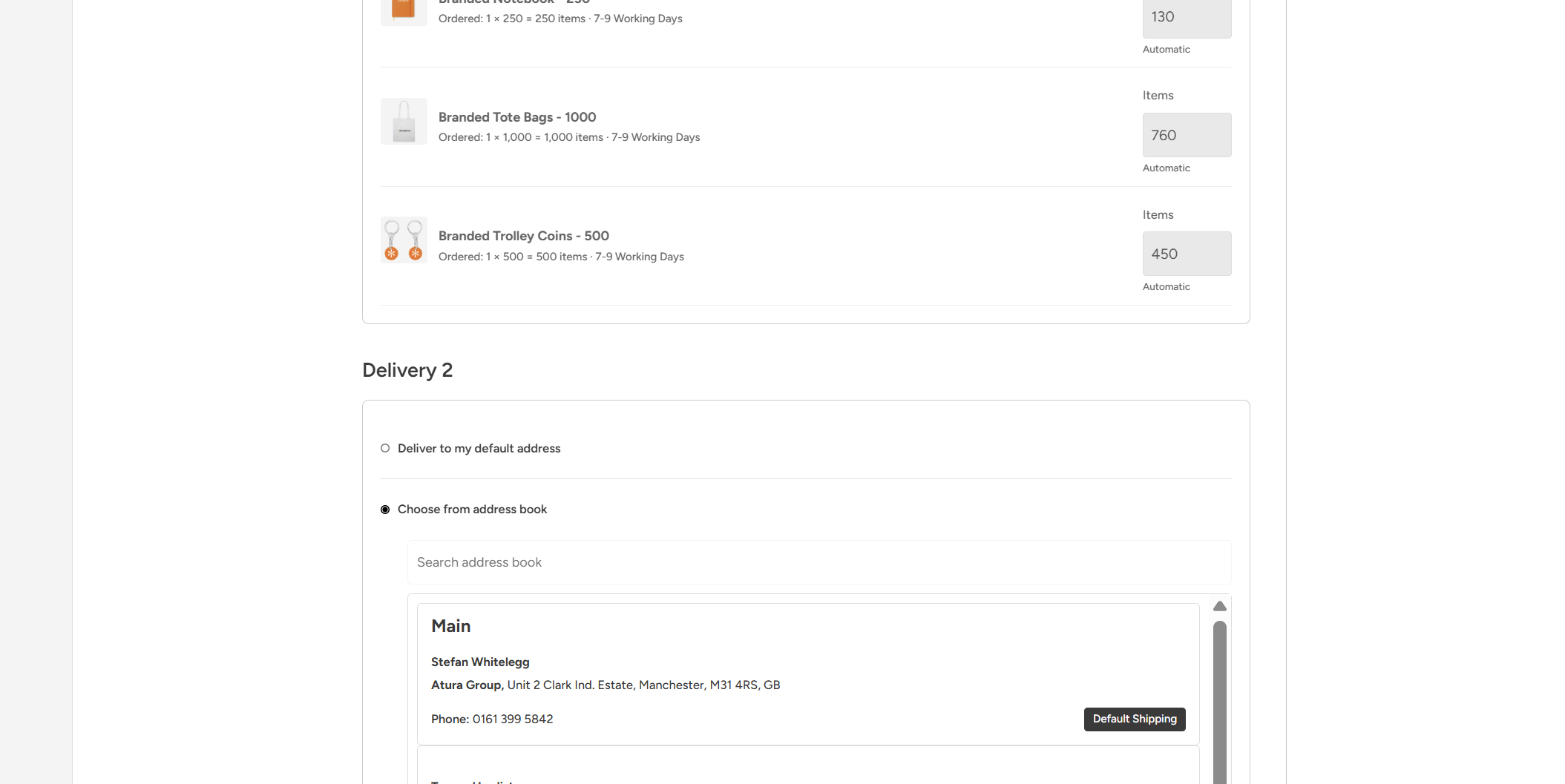
Choose delivery locations from your saved address book or enter a new address during checkout. Whether you’re supplying branches, sending campaign materials to venues or supporting teams across multiple sites, manage the deliveries together through your portal.
Clear costs. Clear delivery details.
See delivery charges and any additional lead time before placing your order. Each destination’s address and product allocation are recorded with the order, making it easy to check what’s going where and answer queries without piecing together separate purchases.

Split Deliveries FAQs
One Order, Multiple Locations
What are split deliveries in a print ordering portal?
Split deliveries let you divide one order between multiple delivery addresses. With Print Portals, you choose which products each location receives and allocate the quantities during checkout, keeping your purchasing and distribution instructions together.
Can I order print for multiple locations in one checkout?
Yes. You can order for several branches, venues, offices or teams in one checkout. Add the products to your basket, select split deliveries and assign the required quantities to each destination without placing a separate order for every address.
Can I split the same printed product between different addresses?
Yes. You can divide the quantity of the same product across multiple destinations. For example, an order of 1,000 leaflets could be allocated as 500 to one venue, 250 to another and 250 to a third.
Can different locations receive different products?
Yes. Each address has its own product allocation. One branch could receive leaflets and posters, while another receives only leaflets. Set a product's allocation to zero for destinations that do not need it.
Does every venue have to receive the same quantity?
No. You can allocate different quantities to each address according to demand, venue size or campaign requirements. A larger site can receive more stock while smaller locations receive only what they need.
Can I add more than two delivery addresses?
Yes. Start with two destinations and add further deliveries during checkout. Each additional destination has its own address selection and quantity allocation, so you can build the distribution around your order.
Is split delivery suitable for franchises and multi-site businesses?
Yes. Split delivery is particularly useful when one person or central team orders for several franchise locations, branches or venues. It brings the products, destination addresses and quantities into one checkout instead of repeating the purchasing process for every site.
Can we distribute a marketing campaign to several venues in one order?
Yes. You can order the campaign materials together and allocate the appropriate products and quantities to each venue. This helps marketing teams coordinate distribution from one place while tailoring each delivery to the location's requirements.
Do we need to receive everything at head office and distribute it ourselves?
No. Split deliveries let you specify the final destinations when you order, so products can be dispatched directly to the locations that need them. This removes the need to receive the whole order centrally and arrange your own onward distribution.
How does one multi-address order reduce administration?
You complete one checkout and keep the delivery instructions within one order record. Your team can check the products, quantities and destination details together, reducing repeated data entry and the need to reconcile several separate purchases for the same campaign.
Simple Allocation and Saved Addresses
How do I set up split deliveries during checkout?
Choose the split-delivery option at checkout, review the delivery charges and additional lead time, then add your destinations. Select an address for each delivery and enter the quantities it should receive. The allocation controls keep the remaining quantities accounted for as you work.
How does automatic quantity allocation work?
Delivery 1 automatically receives the remaining quantity of each product. As you allocate items to Delivery 2 and any further destinations, Delivery 1 adjusts accordingly. This means you can enter what the additional locations need without manually recalculating the balance each time.
Can I allocate more items than I have ordered?
The allocation controls limit quantities to the number of items available in your order. Automatic checks also validate the allocations before the order is accepted, helping prevent more products being assigned than you have purchased.
How do I make sure every item has a delivery destination?
Any quantity not assigned to an additional address remains allocated to Delivery 1. This automatic remainder helps ensure all items have a destination while you adjust the quantities for the other locations.
Can I split a print run even if it appears as one item in my basket?
Yes. For supported product setups, the allocation controls use the physical item quantity rather than treating a complete print run as a single item. For example, a product configured as 500 leaflets can be divided between addresses using the 500 individual leaflets available.
Can I choose delivery addresses from my saved address book?
Yes. The split-delivery checkout integrates with your portal's address book. You can select saved delivery locations instead of entering their details again, making regular orders to the same branches and venues quicker to prepare.
Can I search for a saved branch or venue address?
Yes. You can search your address book when choosing an additional delivery location, or view the saved addresses available to you. This helps you find the right destination without manually retyping its delivery details.
Can I use saved addresses and a new address in the same order?
Yes. Choose existing locations from your address book and enter a new address for another destination during the same checkout. This is useful when an order includes your regular venues alongside a temporary event location or a new branch.
How does the address book make repeat multi-site ordering faster?
Your regular delivery locations are already available to select, so you can focus on the products and quantities each site needs. For teams repeatedly ordering to the same venues, this reduces address entry and makes it easier to prepare the next distribution order.
Can I change destinations or remove a delivery before placing the order?
Yes. You can change an additional delivery's selected address or remove an additional destination during checkout. Quantities are recalculated so the remaining items return to Delivery 1, and delivery pricing refreshes to reflect the selected number of addresses.
Costs, Delivery Details and Everyday Use
Why is Print Portals split delivery designed for frequent multi-site ordering?
The workflow combines product allocation, automatic remainder calculations and saved-address selection within checkout. These features reduce the repeated typing and manual quantity calculations that can make multi-address ordering time-consuming, particularly when you regularly supply the same network of venues.
What feedback have customers given about the split-delivery experience?
Customers who regularly order to multiple locations have told us that Print Portals provides the best split-delivery experience they have used. Their feedback highlights how simple the ordering process feels and how quickly saved addresses help them prepare repeat orders.
Will I see split-delivery charges before placing my order?
Yes. The checkout explains the charge per delivery address and updates the order totals to reflect the selected destinations. You can review the delivery cost before submitting your order.
How are split-delivery charges calculated?
Split delivery uses the per-address charge configured for your portal. That charge is multiplied by the number of selected delivery addresses, with applicable VAT calculated at checkout. The rate is shown before you confirm your order.
Does split-delivery pricing replace the normal delivery charge?
Yes. When split delivery is selected, its per-address pricing replaces the normal delivery charge, including any standard free-delivery threshold. The checkout makes this clear so you can review the full cost before ordering.
Does splitting an order between addresses add extra lead time?
Yes. Split deliveries add two working days to each product's selected lead time. The adjusted lead times are displayed during checkout so you can account for the additional time before placing your order.
Can I check what each location will receive after ordering?
Yes. Each destination's address and product quantities are recorded with the order. You can review what is going where without reconstructing the allocation from separate orders or email instructions.
Are the split-delivery details included in order emails?
Yes. Split-delivery details are included in the order email information, showing the destination addresses and the products allocated to each delivery. This gives your team a useful record alongside the details held in the portal.
Can I still send an order to just one address?
Yes. Split delivery is optional. Use the normal single-address checkout when everything is going to one location, and select split delivery when you need to distribute an order between several destinations.
Can we see a demonstration of multi-address ordering before setting up our portal?
Yes. We can demonstrate how to select saved addresses, divide product quantities and review delivery costs within one checkout. Contact Print Portals to discuss your locations and see how the split-delivery workflow could support your regular ordering.
Explore more portal features.
Discover more ways to simplify ordering and keep your brand in control.
Artwork Builder
Personalise approved designs and generate a proof, all within your portal.
Explore Artwork Builder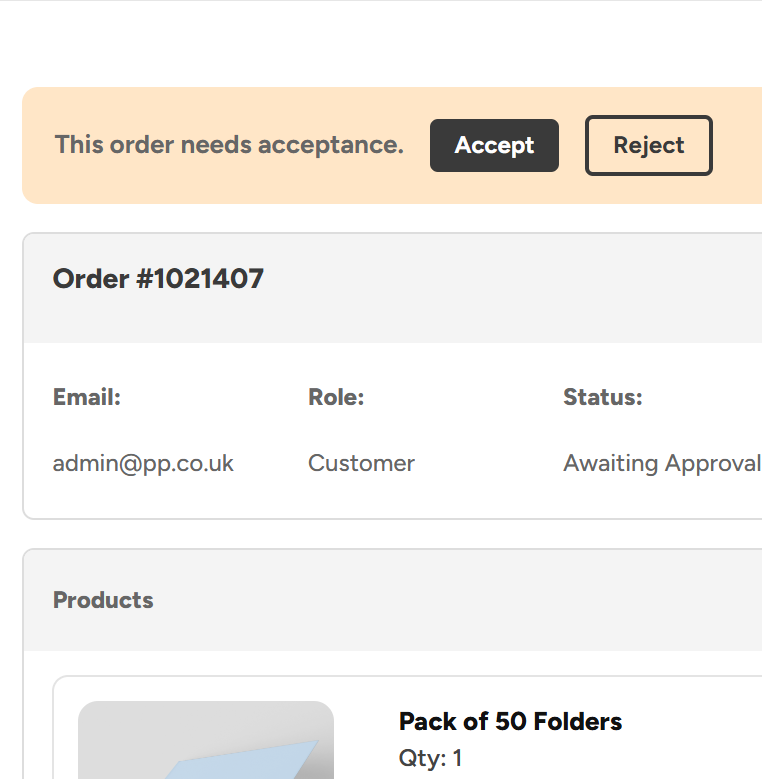
Admin Order Approvals
Keep control of spending with approval rules built around your teams, roles and business structure.
Explore Admin Order Approvals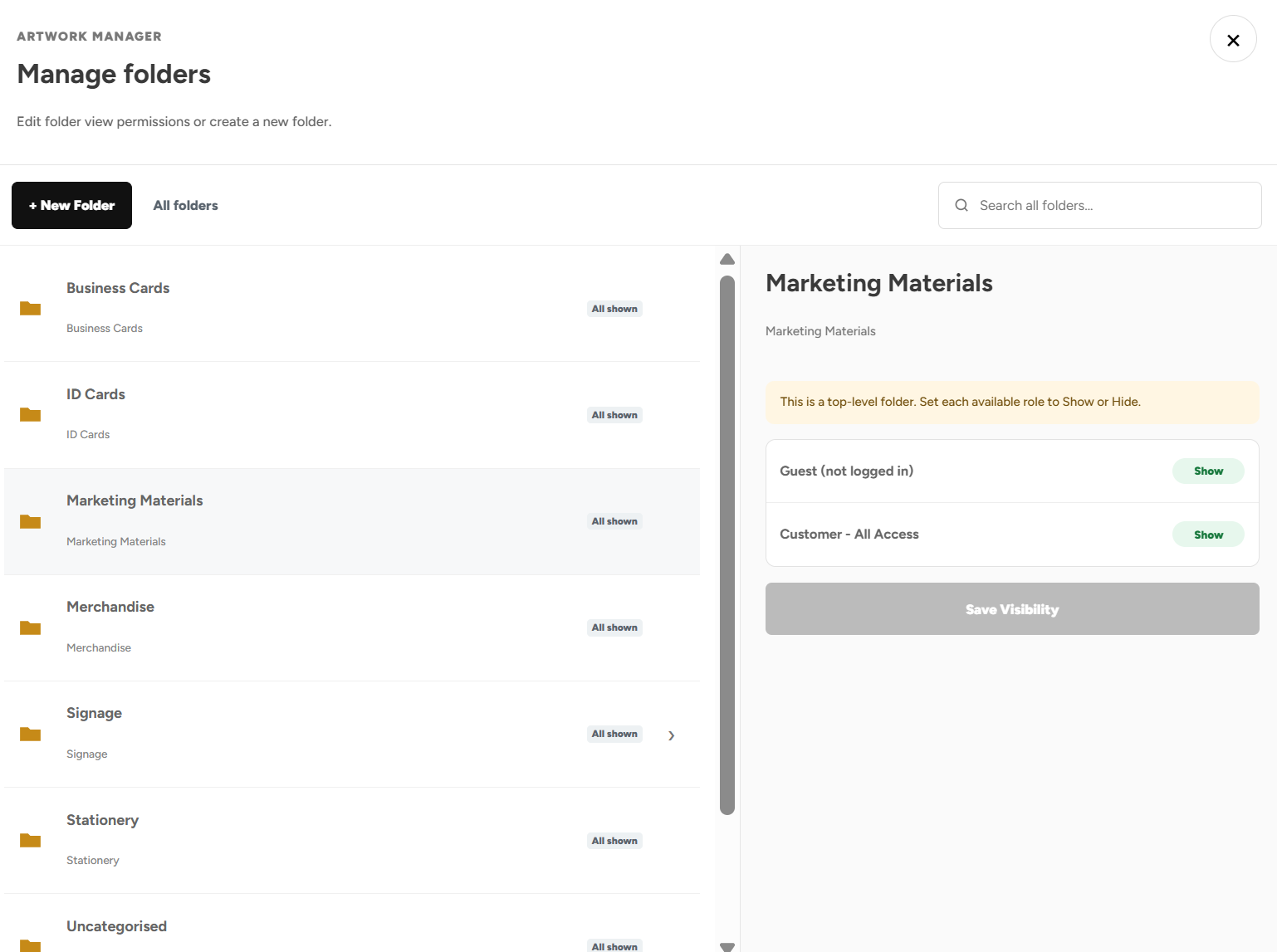
Product Visibility
Show or hide products and categories based on departments, venues, job roles, teams and more
Explore Product Visibility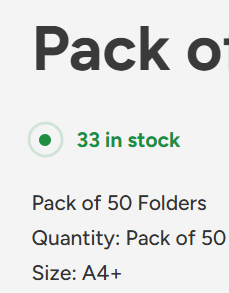
Shelf Stocking & Stock Control
See live stock levels 24/7, call off stock when needed, and save big on the products you buy regularly.
Explore Shelf Stocking & Stock Control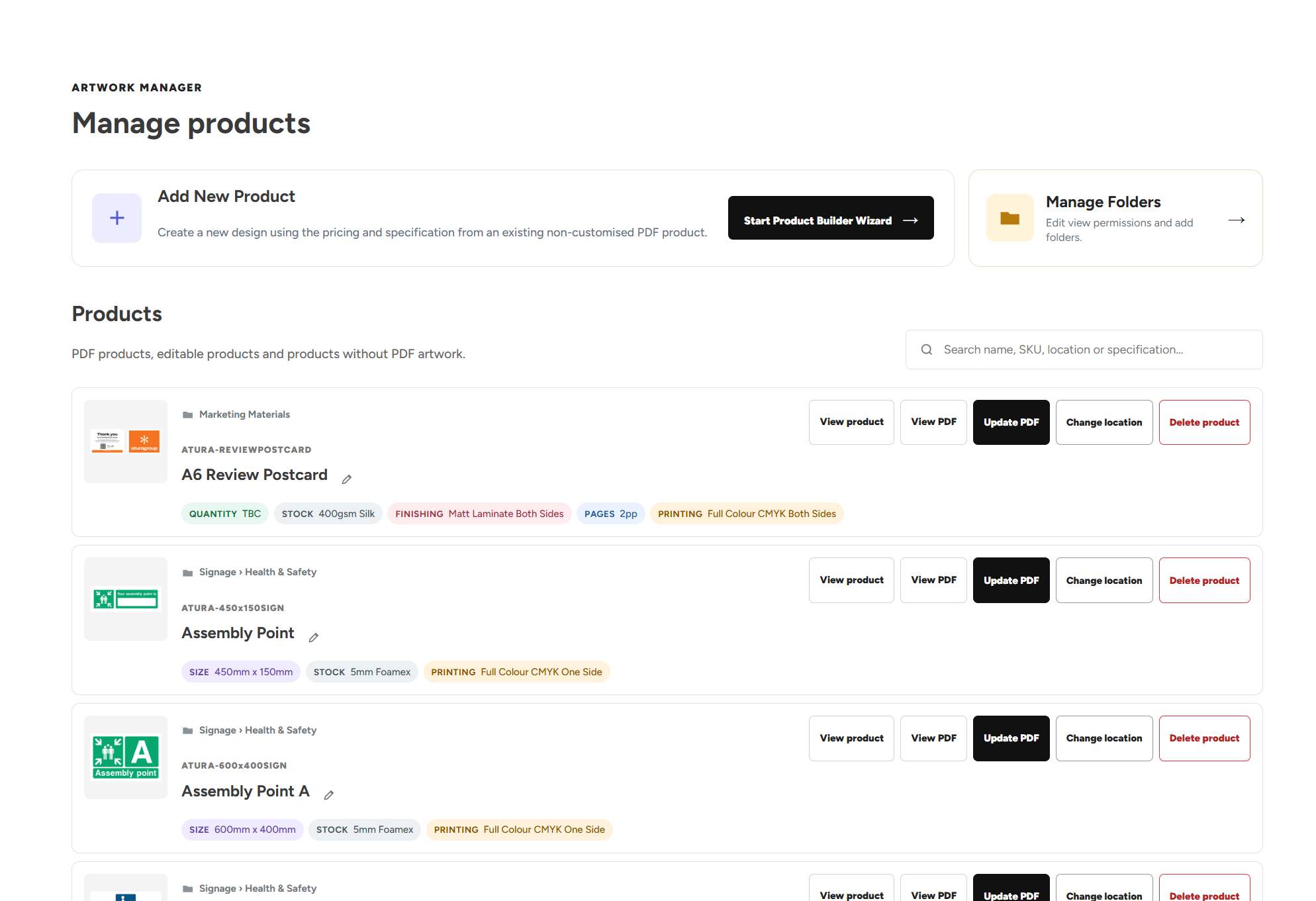
Artwork Manager
Organise your designs, update artwork, add new products and manage who can see specific products.
Explore Artwork ManagerUpload Your Own Artwork
Upload your own print ready designs and add them straight to the basket.
Explore Upload Your Own ArtworkGet Started with Your Own Print Portal
Explore more features of our print portals or get started with a free no obligation consultation.